Share a place from Messages into Maps Bridge and navigate in Google Maps.
Works with maps.apple.com and short maps.apple/p/… links.

Gray pin → Bridge → Color pin
Friends on iPhone share places as Apple Maps links. On Android those are awkward. Maps Bridge fixes it.
Someone texts you a place from iPhone. It arrives as an Apple Maps link in Messages, WhatsApp, or email.
Tap Share, choose “Open in Google Maps”. Or paste the link directly into the app.
Maps Bridge converts the link and opens it in Google Maps for viewing or turn-by-turn navigation.
Here is what Maps Bridge looks like on Android.
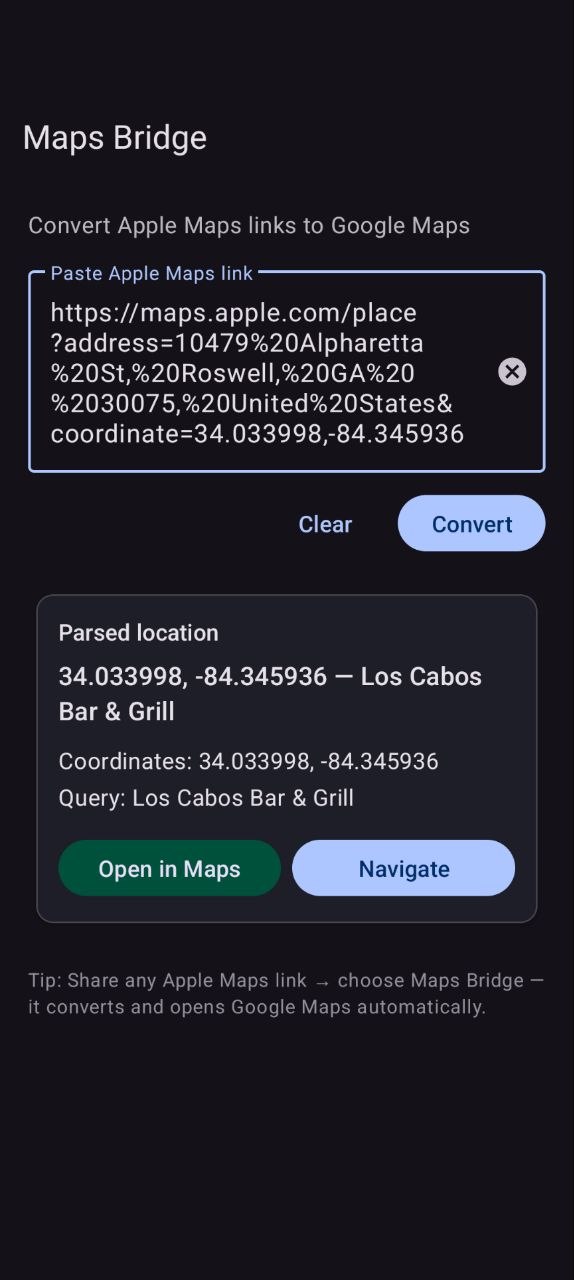
Paste or share an Apple Maps link
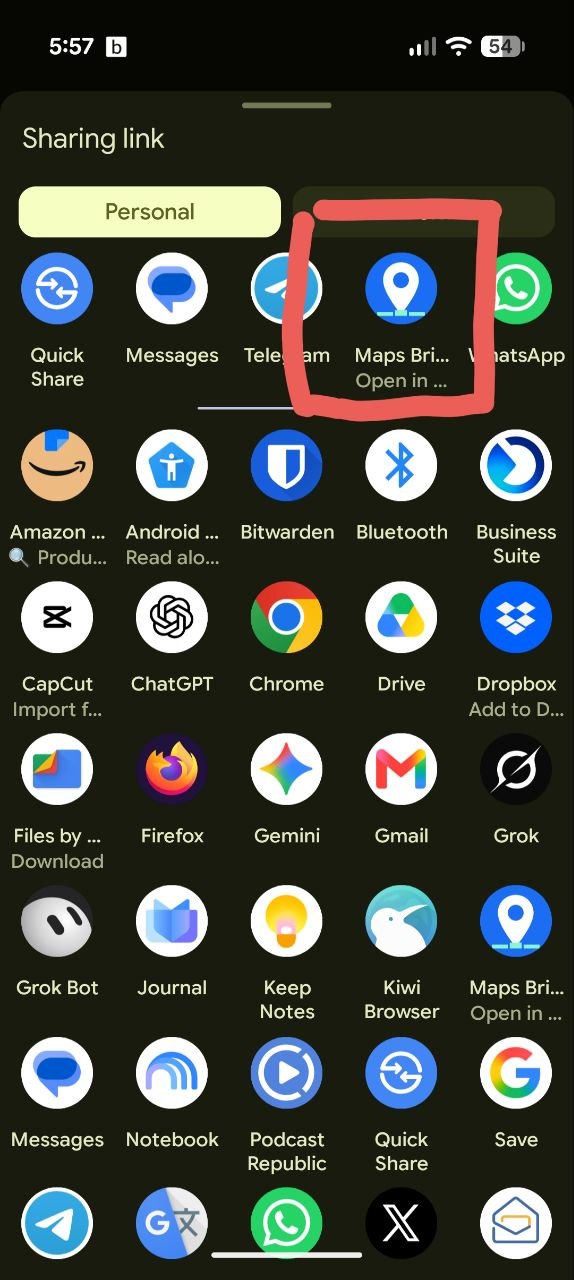
Open in Google Maps to view or navigate
No account, no backend, no tracking. Just on-device converting plus Maps intents.
Handles full links and short maps.apple/p/… links. Short links need a quick network call to Apple to expand.
Opens place links with coordinates correctly in Google Maps view.
Paste a link manually, or use the Android Share sheet for auto-convert and open.
Choose to view the place or start navigation right away.
Free to use. No sign-up, no ads, no API keys to manage.
Works on Android 8.0 and newer. Lightweight and fast.
Clear, practical answers. No hype.
Apple Maps links are designed for iPhone. On Android they don't open cleanly in Google Maps for navigation. Maps Bridge reads the location from the Apple link and opens that same place in Google Maps.
Only for short links like maps.apple/p/…. Those need a brief network call to Apple to expand. Full links convert on your phone without extra network.
No. There are no servers. Everything happens on your device, except expanding short links. No accounts, no tracking, no sale of data.
Use the Google Play button on this page: Get it on Google Play. Once live, it will open the listing for dev.dorna.mapsbridge.
No. Maps Bridge is an independent free app. Not affiliated with, endorsed by, or sponsored by Apple or Google. See our Privacy Policy.
Install Maps Bridge, tap Share → Open in Google Maps, and go.
Free • No account • Android 8.0+